01
See the whole picture
Inspect your drives and locate the folders behind the growth. Put names and paths to the space being used.
CPU load. Memory pressure. Drives filling up.
Understand what is holding your machine back.
Choose the tools that fit the way you work.
Heavy workloads.
Busy machines.
A clearer picture.
852 GB used 1 TB capacity
1.38 TB used 2 TB capacity
You should know what is on your disk before you change it. Start with visibility, then choose the right tool for the job.
Inspect your drives and locate the folders behind the growth. Put names and paths to the space being used.
Review duplicate candidates, compression options and cache locations. Keep your working files in context.
Take a specific action, inspect the result, and carry on with a clearer view of your workstation.
Bring drive capacity, large folders and workstation activity into one view. Start with the files behind the numbers.
Find duplicate candidates with SHA-256 content checks. Review their locations before deciding what to remove.
Explore NTFS compression for suitable files, media encoding presets, and PDF tools in Compress Forge.
Inspect disk I/O, CPU thermals and startup entries. Put resource activity next to the work you are doing.
Build outputs. Package caches. Container disks. Model downloads. See the storage around your projects, then decide what to compress, offload or keep.
Start with a project folderDrive Sentinel : Overdrive is the desktop app behind Performance Sentinel. Drive activity, CPU thermals, memory tools and practical controls share the same workspace.
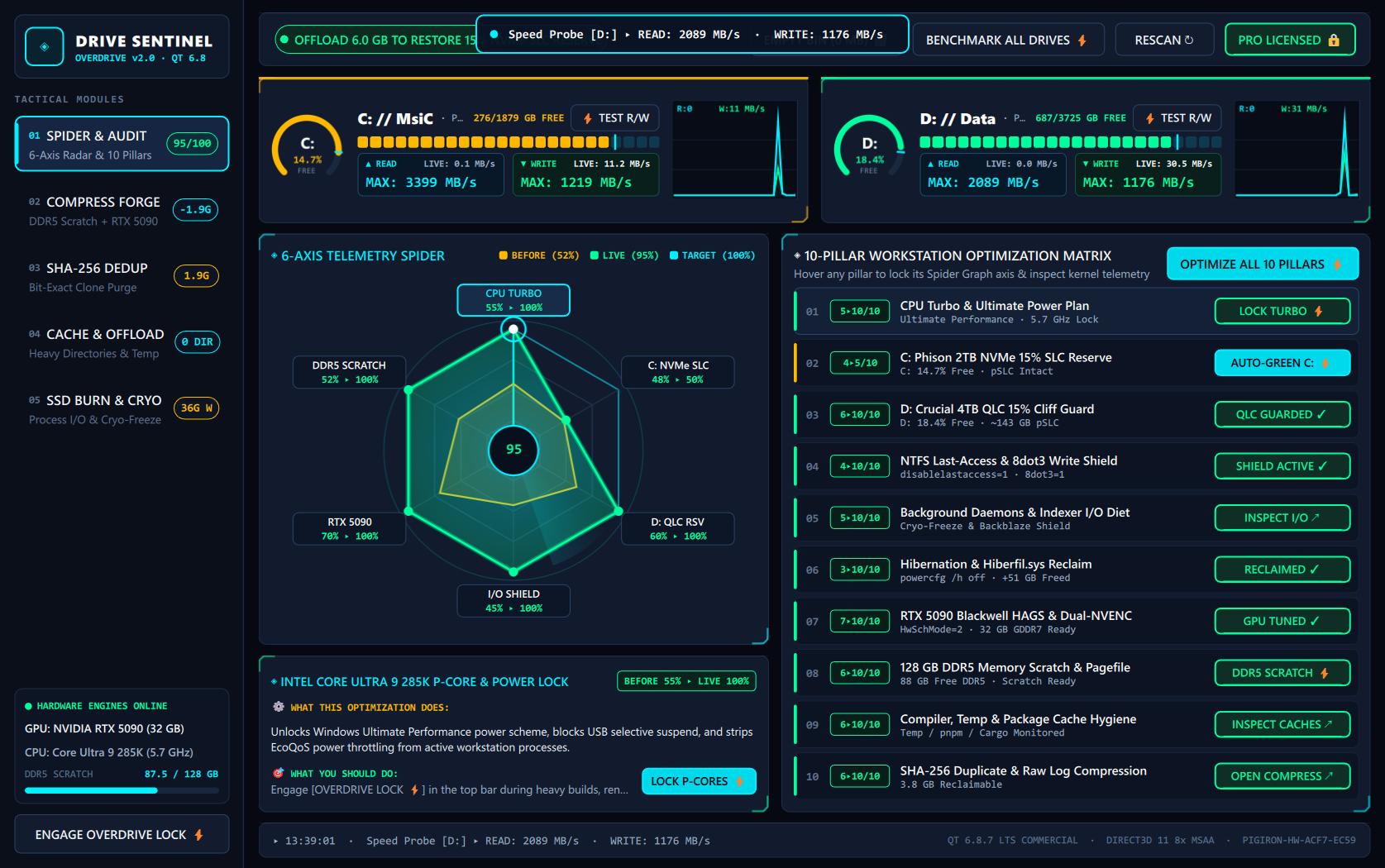 View full desktop screenshot
Existing desktop interface on an example workstation. Displayed scores and measurements are specific to that machine; they are not performance guarantees.
One-time payment. Perpetual license.
Choose one PC or give your studio a little more room.
One PC. Your complete Pro toolkit.
The same toolkit. Across three PCs.
Planned prices from the current product catalog. Sales open after checkout validation. Final price and applicable taxes appear at checkout.
*Hardware, filesystem, dependencies and administrator permissions affect tool availability. A perpetual license does not promise every future major version.
Windows developers, video and audio creators, local AI users, and people who manage large project folders. It is a hands-on toolkit: you inspect the results and choose the actions that fit your workflow.
Performance Sentinel is the new website and product brand for the Drive Sentinel : Overdrive toolkit. Existing desktop builds and license keys still use the Drive Sentinel name. It is a separate product from Hard Disk Sentinel.
Both plans include the same Pro toolkit. Pro covers one PC; Pro+ covers three PCs. The planned purchase model is a one-time payment for a perpetual license. The price and any taxes are confirmed in Axora’s Stripe checkout.
Use the app to inspect results and select specific actions. Some tools delete, move, compress or modify files and system settings. Read the action details, keep backups, and begin with a folder you can safely test.
No. GPU encoding, NTFS compression, RAM scratch space and some system tools depend on your hardware, filesystem, available dependencies and permissions. Check the tool details on your own machine before buying.
Axora handles checkout and license delivery. Use the same email for your purchase and your Axora account. In the desktop app, open UNLOCK PRO, paste your key and choose ACTIVATE AXORA KEY.
Start with a clearer picture of your Windows workstation.
Get Performance Sentinel